
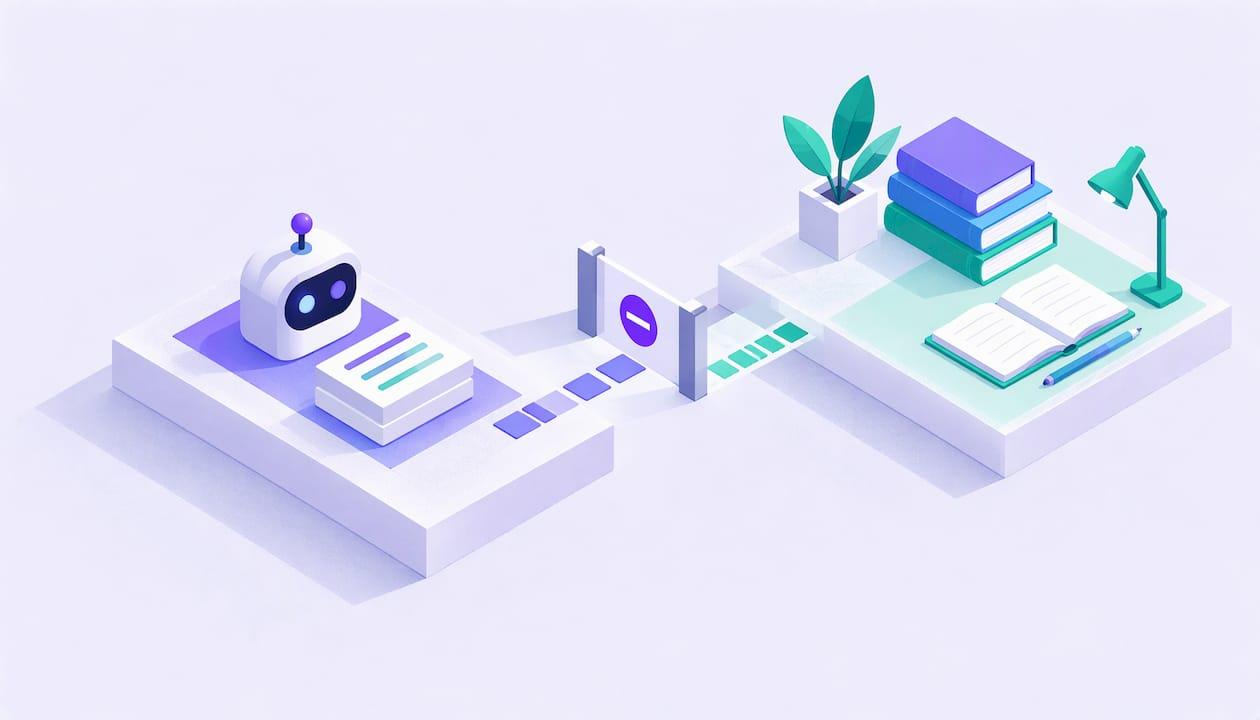
Ethical AI studying means using AI to help you learn the material, not to skip the learning, and doing it inside your instructor's rules. In practice that comes down to four habits: check the syllabus first, verify what the AI gives you, keep private information out of public tools, and disclose your use when the course asks. AtListen is built around this kind of use: you upload your own lectures, notes, PDFs or videos and turn them into summaries, practice questions and flashcards that you then work through yourself.
TL;DR
- Academic integrity is set course by course. Assume AI is not allowed unless your syllabus or assignment says it is.
- The safest uses are the ones that make you do more thinking: quizzing yourself, flashcards, practice questions, explaining concepts back.
- Check AI output against your textbook and lecture. AI can state wrong things confidently and invent citations.
- Never paste personal information, grades, student IDs or other people's work into public AI tools.
- When you do use AI on graded work, disclose it the way your instructor asks.
Table of Contents
- What "ethical" means when you study with AI
- Step 1: Find out what your course allows
- Step 2: Use AI to practice, not to replace practice
- Step 3: Keep your own thinking in the loop
- Step 4: Verify what the AI gives you
- Step 5: Protect your privacy and other people's
- Step 6: Disclose AI use when it is required
- A quick self-check before every session
- Our perspective
- Try it on your own material
- FAQ
- Sources
What "ethical" means when you study with AI
Ethics here is not abstract. For a student it is a practical question: does this use of AI help me learn, and is it allowed in this class?
Stanford's teaching center frames it well: the question is whether a specific use facilitates or takes away an opportunity for deeper learning. Asking AI to quiz you on chapter 6 facilitates learning. Asking it to write the answer you are supposed to produce takes the learning away.
That is also where academic integrity comes in. Academic integrity is the set of honesty rules a school expects you to follow: submit your own work, credit help, and don't misrepresent what you did. Schools are now spelling out how AI fits. Snow College's AI classroom policy, approved in February 2026, says students violate academic integrity by default if they use AI without acknowledgment as the instructor requires, use it where it is prohibited, or fail to verify references and citations. Sanctions there range from assignment penalties to course failure to suspension.
The Commission on Colleges and Universities, in its June 2025 good-practices policy, tells institutions to define when and how AI assistance is permissible in coursework, exams and research. Expect the rules to be written down. Your job is to find them.

Step 1: Find out what your course allows
Rules differ by instructor, department and assignment. Maricopa Community Colleges tells students to check the course syllabus first because each instructor sets their own AI rules. Stanford's guide goes further: assume AI use is not allowed unless the syllabus or assignment says otherwise.
A quick routine:
- Read the syllabus section on AI, collaboration or academic honesty.
- Read each assignment prompt for AI language. A rule can differ between a problem set and a final paper.
- If it is unclear, ask the instructor in writing before you use AI, and keep the reply.
- For research, remember the lab, department, discipline and target journal each add rules.
High school students face the same layering. The College Board says AI tools must be used ethically, responsibly and intentionally to support learning, not bypass it. For one AP project, for example, AI is optional and limited to things like exploring topics, initial source searches, confirming understanding of a complex text or checking grammar, while the project stays the student's own work.
Step 2: Use AI to practice, not to replace practice
Study aids sit in the safest part of the spectrum, as long as the thinking stays with you. Several universities describe the same pattern:
- Maricopa suggests having AI interview you like a tutor, building a study guide from your own notes with key terms, main ideas and review questions, and generating practice questions in your exam's format.
- Oregon State's Academic Success Center recommends flashcards and practice questions, a Socratic tutor that asks questions without handing over answers, and follow-up questions to unpack your mistakes.
- Johns Hopkins' library guide says AI can explain concepts, create practice questions, quiz you or suggest study plans, but student effort and verification are still required, along with the ability to explain the material on your own.
That last test is a good personal check. If you could not explain the topic without the AI open, you have not studied it yet.
Where AtListen fits
This is the workflow AtListen is designed for. You upload lectures, audio recordings, PDFs, textbooks, notes, web articles or YouTube URLs, and get summaries, key concepts with definitions, practice questions with explanations and flashcards optimized for spaced repetition. Because everything comes from the material you provide, you are checking AI output against your own course content rather than asking a general chatbot to improvise. Depth control lets you set how detailed the output is, and instant feedback on your answers keeps you in the role of the person doing the recall.
If you want a step-by-step routine, our guide to studying with AI from your notes covers prompts and privacy, and how to use instant study feedback shows how to turn wrong answers into learning.
Step 3: Keep your own thinking in the loop
Stanford notes that using AI to generate summaries and questions for active reading can bypass direct engagement with the text. The answer is not to avoid good tools but to use effective strategies. A few that work:
- Attempt first. Try to recall or solve before you look at the AI's answer.
- Read the source. Use a summary to orient yourself, then go to the lecture or chapter for the detail.
- Explain it back. Close the screen and say or write the idea in your own words.
- Edit the cards. Rewriting a flashcard in your own wording forces you to understand it.
- Space it out. Review cards over days rather than in one sitting. Our spaced repetition flashcard workflow shows a short routine of a few cards at a time.
Cornell's Learning Strategies Center makes a similar point: generative AI is mostly accurate but cannot create new knowledge, and real proficiency takes deep knowledge plus time and effort.
Step 4: Verify what the AI gives you
AI output is a draft, not an authority. Stanford's guide documents that tools sometimes give incorrect responses, can reflect biases in training data, and tend to misattribute sources or create citations for sources that don't exist. Oregon State warns that AI can hallucinate by combining words and ideas without logic.
A practical verification pass for any study set:
| What to check | How |
|---|---|
| Definitions and formulas | Compare with the textbook or lecture slides |
| Dates, names, numbers | Confirm in a course reading |
| Citations | Look each one up; never submit a reference you have not found |
| Practice answers | Work the problem yourself, then compare |
| Anything surprising | Treat it as wrong until your course material confirms it |
Working from your own material makes this faster, because the right answer is already in your notes. For source-heavy material, our guide on verifying AI summaries of research papers walks through the same habit.
Johns Hopkins also recommends a short checklist called T.R.A.C.E.: Task, Reliability, Authority, Confidentiality, Explanation. Run through it before relying on AI for something: is this task allowed, is the output reliable, who is the authority, is the data safe to share, and can I explain it myself?
Step 5: Protect your privacy and other people's
What you type into a public AI tool may not stay private. Snow College's policy warns that anything entered into AI software may become part of the tool's training set. Maricopa advises not pasting personal information, student IDs, grades or anyone else's work, and pasting course materials only when permitted, since some instructors prohibit uploading slides or readings.
School policies list the categories to keep out. Minneota Public School District's policy bars students from entering passwords, names, Social Security numbers, card or bank numbers, and details from IEPs, 504 plans or medical records into any AI tool, as its Policy 625 states. Huston-Tillotson University says FERPA-protected student records and health or financial data must never be entered into public AI tools. FERPA is the federal law that protects student education records.
Professionals studying for certifications and medical students should note the same logic applies to unpublished or confidential data: the University of Pennsylvania's medical school says it must not go into public tools without express faculty permission.
When you upload your own lecture notes, strip out names, ID numbers and anything about classmates first, and confirm your instructor allows course materials to be uploaded.

Step 6: Disclose AI use when it is required
Disclosure is how you stay honest when AI touched graded work. Stanford says to disclose any use of generative AI for help with assignments, following the instructor's documentation method.
What schools ask for varies, but the elements repeat:
- Huston-Tillotson asks for the tool's name and version, the nature of the assistance and how much of the final product includes AI content, cited in the discipline's style (APA, MLA or Chicago). It describes disclosure as the condition of trust and the basis for fair evaluation, not a punishment.
- The University of Illinois Urbana-Champaign's Senate IT Committee proposes tiers: spell check and autocomplete need no disclosure, brainstorming or grammar help needs the tool and purpose, and substantive drafting or summarizing needs tool, purpose and prompts.
- Kennesaw State's April 2026 guidance requires research products to state the tool, its purpose and scope, and the human role in validating outputs, with usage logs kept.
A simple habit: keep a note of which tool you used, when, for what, and what you did with the result. If your studying is purely private practice, such as flashcards you quiz yourself on, there is usually nothing to disclose, but your syllabus has the final word.
A quick self-check before every session
- Does my syllabus or assignment allow this use?
- Am I using AI to practice, or to produce work I should produce?
- Have I removed personal and other people's information?
- Will I verify the output against course material?
- Do I know how to disclose it if asked?
If all five answers are clean, you are in good shape.
Our perspective
We built AtListen on a simple belief: the best use of AI in studying is the kind that makes you more active, not less. Most students are not short on content. They are buried in lecture recordings, slide decks and chapters, and the hours disappear into organizing material before any learning starts.
That is the problem we aim at. Turning your own materials into structured summaries, key concepts, practice questions and flashcards, with depth control and instant feedback, moves your time from sorting to recalling. The questions are yours to answer, and the cards are yours to review.
Ethics and effectiveness point the same direction here. Universities keep saying the same things: use AI to support learning, verify the output, protect private data, follow the instructor's rules. A tool that starts from your own course material and asks you to retrieve it fits that guidance naturally.
William
Try it on your own material
If you want to put this routine into practice, AtListen has a Free plan at $0 per month, Pro at $19.99 per month and Max at $39.99 per month. Upload a lecture, PDF or YouTube link and get a study set in minutes, then work through it yourself. You can start at atlisten.com.
For specific formats, see how to go from lectures to flashcards or YouTube to flashcards.
FAQ
Is using AI to study cheating?
Not by itself. Using AI to quiz yourself, explain concepts or build practice questions is widely described as appropriate support for learning. It becomes an integrity problem when it is prohibited in your course, when you hide it where disclosure is required, or when it does work you are meant to do. Your syllabus decides.
Can teachers tell if you use AI?
Don't plan around detection. Instructors can ask you to explain your work, and schools define consequences in policy. The reliable approach is to follow the course rules, disclose when asked and be able to explain everything you submit.
Do I have to cite AI used for studying?
Only if the course asks. Private study aids like flashcards usually need no citation, while AI help on graded assignments often does. Many schools ask for the tool, its purpose and how you used the output. When unsure, ask your instructor.
Is it safe to upload my notes to an AI tool?
Upload only course material you are allowed to share, and remove personal details, IDs, grades and other people's work first. Schools such as Maricopa advise against putting that information into public AI tools at all.
Sources
- Snow College AI Classroom Policy 412
- The Commission on Colleges and Universities: Good Practices in the Use of Generative AI
- Stanford Center for Teaching and Learning: AI and Your Learning
- Maricopa Community Colleges: Student Use Cases
- College Board: Guidance for AI Tools
- Johns Hopkins University Library Guide: AI for Teaching and Learning
- Oregon State University Academic Success Center
- Cornell Learning Strategies Center: Using GAI for Learning
- Minneota Public School District Policy 625
- Huston-Tillotson University AI Policy
- University of Pennsylvania Perelman School of Medicine AI Policy FAQ
- UIUC Senate IT Committee: Institutional Guidance on AI
- Kennesaw State University Institutional AI Guidance