
Yes, you can study with AI, and used correctly it turns your lectures, notes, and recordings into active study aids: summaries, flashcards, quizzes, and a timed study plan built around your actual exam date. The catch is that these tools work best as practice generators, not answer machines, and using AI output to replace your own thinking undercuts the point. Use it to build materials for study, never to submit as your own graded work.
TL;DR:
- AI can effectively transform lectures, notes, and recordings into study aids like summaries, flashcards, quizzes, and study plans if used for practice rather than answer generation.
- It is important to verify all AI-generated facts and citations against original materials, as AI can misstate or invent information.
- Structuring your AI sessions into steps such as uploading specific content, requesting main objectives, practice questions, and spaced reviews enhances learning outcomes.
- Study routines that include self-testing without immediate access to answer keys and spaced repetition improve retention and comprehension.
- Use AI responsibly by adhering to your institution's policies, disclosing your use when required, and safeguarding privacy by reviewing data policies before uploading materials.
Table of Contents
- What AI can produce from your lectures, slides, and PDFs
- Run a full AI study session in six steps
- What the research actually says about studying with AI
- Use AI responsibly: integrity, privacy, and verification
- Prompt templates that turn your files into study material
- What working this way actually looks like
- AtListen: turn your own materials into study aids
- Sources
- FAQ
What AI can produce from your lectures, slides, and PDFs
Feed a lecture recording, a slide deck, or a scanned chapter into an AI tool and it can restructure that material into several useful formats at once. A summary orients you before you dive into dense reading. Flashcards break material into small, testable units. Quizzes at different difficulty levels push you toward retrieval instead of rereading.
AI tools built for this task typically generate:
- A structured summary with headings that mirror the original lecture or chapter.
- Flashcards formatted for spaced repetition, often exportable to apps you already use.
- Multi-level quizzes, from recall questions to applied problem sets.
- Worked examples, analogies, timelines, or concept maps for the topics you find hardest.
- A study plan that fits your available hours before a set exam date.
The limitation worth remembering is that AI can misstate a fact or invent a citation. Keep your original slides, textbook, or recording open next to whatever the AI generates, and treat the output as a draft to check, not a final answer.
Run a full AI study session in six steps
A single prompt rarely produces a good study session. What works is a short, repeatable routine that mirrors how Stanford's teaching guidance describes turning source material into active practice.
- Upload the exact material and note its scope: chapter 4, slides 12 through 30, or minutes 8 to 45 of a recording.
- Ask for a structured overview with the main learning objectives spelled out.
- Request practice questions and flashcards at two or three difficulty levels, from basic recall to applied problems.
- Answer the questions yourself before looking at any answer key, then log what you missed.
- Turn your missed items into a short, focused drill of five to ten questions.
- Schedule a repeat review of those same missed items after a few days, then again after a week or two.
That last step matters more than people expect. Spacing out review sessions, rather than cramming them into one sitting, is one of the most consistently supported study techniques, according to What Works Clearinghouse guidance on organizing instruction and study.
Pro Tip: Never look at the answer key before you attempt every question yourself, even when you're unsure. Guessing wrong and then correcting it builds a stronger memory trace than reading a correct answer cold.
What the research actually says about studying with AI
The evidence on AI-assisted learning is more specific than "it helps" or "it hurts." A 2026 meta-analysis synthesizing 36 studies found a moderate positive effect of generative AI on learning outcomes, with stronger gains on understanding and higher-order tasks than on simple recall.
A three-level meta-analysis of numerous studies found a moderate overall positive effect of generative AI on learning outcomes (Frontiers in Psychology, 2026), and the effect grew stronger when students used AI actively rather than passively reading its output.
That pattern lines up with older, well-established guidance: the What Works Clearinghouse practice guide recommends retrieval practice, spacing, and interleaving worked examples with problem solving, regardless of whether AI is involved. The practical rule that falls out of both bodies of evidence is simple: use AI to build the test, then take the test without looking at the answers first. Effectiveness still depends on subject and task. A concept-heavy humanities course benefits differently from AI-generated practice than a problem-set-driven statistics class.

Use AI responsibly: integrity, privacy, and verification
Treat generative AI as disallowed for graded submissions unless your syllabus explicitly says otherwise, and disclose your use of it when a course requires that. Stanford's guidance for students frames AI as a study partner, not a substitute for your own drafted work, and recommends verifying anything it produces against your original materials.
Before you upload a lecture recording, a classmate's notes, or any material with other people's names or voices in it, check both your institution's policy and the tool's own data practices. Keep your source material visible while you review AI output, and ask the tool to cite page numbers or timestamps so you can check facts and formulas against the original.
- Confirm your syllabus permits AI-assisted study aids before you build them.
- Check the tool's data and privacy policy before uploading recordings or shared materials.
- Verify every generated fact, formula, or citation against your primary source.
- Document your AI use if your course requires disclosure.
Prompt templates that turn your files into study material
Specific prompts produce better output than vague ones. The UNC Learning Center points out that prompt quality, including your exam date, target difficulty, and desired format, determines whether an AI study session is useful or generic.
- Summary: "Summarize this lecture in one paragraph, then list the three main learning objectives."
- Flashcards: "Create 10 cloze-style flashcards from this chapter, one fact per card, formatted for export."
- Quiz: "Write 15 multiple-choice questions from this material at undergraduate level, and withhold the answer key until I ask for it."
- Study plan: "Build a two-week spaced study plan for this material, assuming I have one hour per day and an exam on the date I specify."
Ask for source references or page numbers whenever accuracy matters, and specify depth: "explain at undergraduate level" or "show full working steps" both change the output meaningfully. For audio, a clean transcript uploads more reliably than raw audio, and a 10 to 20 minute excerpt processes more accurately than a full two-hour lecture dumped in at once. If you already build weekly study calendars, a scheduling tool like Syncronos can turn a syllabus into a spaced calendar that complements the flashcards and quizzes you generate elsewhere.
Pro Tip: Request flashcards in a plain list or CSV format and quiz questions with timestamps when they come from a recording. Clean formatting saves you from manually reformatting output before you can actually study it.
What working this way actually looks like
My own routine starts with a rough outline written from memory, then I ask AI to generate counterexamples and edge cases I might have missed. Only after that do I self-test using AI-generated questions, answering blind before checking anything. The goal is to keep my own thinking visible at every step rather than letting AI do the first pass.
— William
AtListen: turn your own materials into study aids
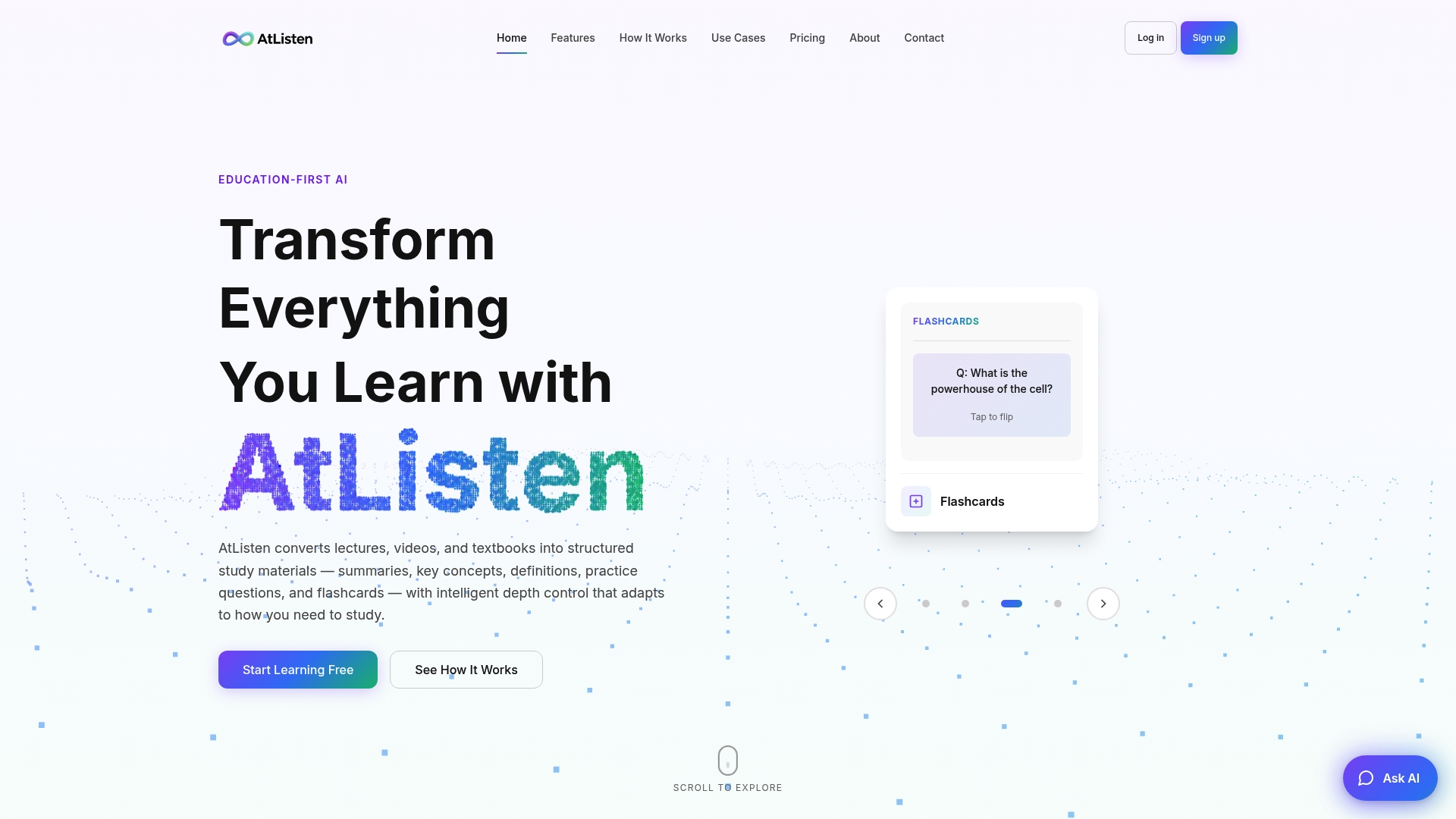
AtListen maps directly onto the six-step workflow above: you upload a lecture, PDF, recording, or slide deck, and it generates a tailored summary, multi-level practice questions, and smart flashcards built for spaced repetition, with depth control so you can ask for a simpler pass or full worked steps. Instant feedback on practice questions means you find your gaps in the same session, not days later.
Various subscription plans are commonly offered, including free options for basic uploads and study aids, and paid tiers that provide expanded limits and additional features. For current pricing, see the provider's website.
Before uploading recordings of lectures or shared class materials, check AtListen's security page for details on how your files and data are handled. Start with the free plan at Atlisten and build your first summary and flashcard set from your next lecture.
Sources
- WWC | Organizing Instruction and Study to Improve Student Learning
- Three-level meta-analysis of GenAI in higher education (2026)
- AI and your learning: a guide for students (Stanford CTL)
- Generative AI for academic study (UNC Learning Center)
FAQ
Does studying with AI actually work?
Yes, when you use it actively rather than passively: a 2026 meta-analysis of 36 studies found a moderate positive effect of generative AI on learning outcomes, with the strongest gains on understanding and higher-order tasks. The effect depends heavily on how you use it, not just whether you use it.
How can I study with AI?
Upload your lecture, notes, or recording, then ask the tool for a structured summary, flashcards, and multi-level practice questions rather than a single answer. Test yourself with those questions before looking at any answer key, and schedule spaced repeats of anything you miss, following the retrieval and spacing guidance from WWC.
What is the best AI to use to study?
The right tool depends on your material and goals: general chat AI tools work for quick summaries, while dedicated study platforms like AtListen are built specifically to turn lectures, PDFs, and recordings into structured summaries, flashcards, and practice questions with depth control. Check your institution's policy on AI tools before relying on any of them for graded work.
How do I learn AI by myself?
Start by using AI tools directly on real study tasks, like turning one lecture into a summary and a quiz, then refine your prompts based on what output helps you most. Resources like the UNC Learning Center's guidance on generative AI for academic study offer practical prompting techniques you can practice on your own coursework.