

A personalized study plan pairs one clear goal and deadline with a topic sequence, time-blocked sessions, and built-in review checkpoints, all scaled to your actual schedule instead of a generic template. The fastest way to start is simple: pick one target, whether that's a final exam or a certification test, and block your first 25 to 50 minute study session today. From there, borrow proven structure from resources like the Cornell Learning Strategies Center and time-management tactics like the Pomodoro Technique.
TL;DR:
- Doubling your estimated study time for each topic helps prevent schedule failures caused by underestimating task duration.
- Planning for short, focused sessions like 25-minute Pomodoros with regular review checkpoints ensures long-term retention.
- Using a personalized schedule based on your actual availability and breaking down topics in prerequisite order increases study consistency.
- AI-powered tools can generate complete study plans and materials quickly, especially for students managing multiple courses or tight deadlines.
- Maintaining weekly review sessions and adjusting your schedule as needed are critical to staying on track and avoiding last-minute cramming.
Table of Contents
- The Six Things Every Personalized Study Plan Needs
- How to Build a Study Plan Step by Step
- Should You Use a Template, a Spreadsheet, or an AI Generator?
- How AtListen Turns Your Materials Into a Ready Study Plan
- Where to Find Reliable Templates and Guidance
- What Actually Matters When You Build a Study Plan
- Let AtListen Build Your Plan and Study Materials for You
- Sources
- FAQ
The Six Things Every Personalized Study Plan Needs
Most study plans fail for a boring reason: they skip one of six core elements, and the gap doesn't show up until two weeks before the exam. Before you build anything elaborate, check your plan against this list.
- A specific outcome and deadline. "Pass biology" isn't a goal. "Score 85% or higher on the December 12 final" is.
- A doubled time estimate. Whatever you think a topic will take, plan for roughly twice that, a rule university learning centers repeat because students routinely underestimate task time.
- A topic breakdown in prerequisite order. List every unit, then sequence them so foundational material comes before anything that depends on it.
- Defined time blocks. Session length matters more than total hours logged; a 25 minute Pomodoro block often beats an unfocused two hour marathon.
- Recurring review checkpoints. Weekly cumulative review, not a single cram session, is what actually moves material into long-term memory.
- Breaks and hidden-time use. Ten minutes between classes or a commute is real study time if you plan for it in advance.
How to Build a Study Plan Step by Step
This is the workbook part. Grab a blank calendar, a notebook, or a spreadsheet, and work through these seven steps in order. None of them requires special software, though a template or generator can speed up steps three through six.
- Define your outcome. Write down the exact score, grade, or milestone you're targeting, plus the exam date. Vague intentions ("get better at chemistry") don't translate into a schedule; specific ones do.
- Audit your real availability. Count your actual free hours per week, not your ideal week. Include hidden pockets: 20 minutes before a class starts, a bus ride, a lunch break where you could review flashcards.
- Break the syllabus into topics and estimate hours. List every unit or chapter, guess how long each will take to learn to your target level, then double that number. This single adjustment prevents more schedule collapses than any other planning trick.
- Sequence topics and insert review milestones. Order units so foundations come first, then slot in a cumulative review block every week, covering everything learned so far, not just the newest material.
- Translate hours into calendar blocks. Convert topic hours into actual sessions. Use Pomodoro-style 25 minute blocks with 5 minute breaks for review and practice questions, and reserve longer 60 to 90 minute deep-work blocks for genuinely new, difficult material.
- Create daily micro-tasks. Replace "study chapter 3" with "answer 10 practice questions on chapter 3, sections 1 and 2." Specific, timed tasks reduce the friction of just getting started, and they make progress visible at the end of each day.
- Monitor progress weekly and adjust pace. If you fall behind, rebalance which topics get compressed. Do not cut review sessions to save time. Skipping spaced review to catch up on new content is the single most common way a study plan quietly fails in its final two weeks.
Pro Tip: Write your micro-tasks the night before, not the morning of. Deciding what to study eats up mental energy you'd rather spend actually studying.
Should You Use a Template, a Spreadsheet, or an AI Generator?
The right tool depends on how much manual sequencing you want to do yourself.
- Printable templates give you a date tracker, an hourly timetable, and space to log topics and total hours needed, similar to the fields in a student study plan worksheet. Some templates, like the Craft study plan template, also include a daily "today" tasks area, which cuts down on decision fatigue.
- Spreadsheets work well if you're comfortable building your own formulas for hours remaining or progress percentage, and want full control over layout.
- AI generators take a syllabus or lecture recording and automatically sequence topics, break them into session-level tasks, and export a ready schedule along with practice questions, which saves the planning time that manual sequencing usually costs.
The decision rule is straightforward: pick a template if you want to control every detail yourself, and pick an AI generator if you want a sequenced plan fast without doing the sequencing work by hand. If your biggest bottleneck is turning a syllabus into dated calendar entries, a dedicated syllabus-to-calendar tool can map topics straight onto your calendar with review checkpoints already built in.
How AtListen Turns Your Materials Into a Ready Study Plan
Some platforms build personalized study plans for you instead of asking you to sequence everything by hand. Upload a lecture recording, a syllabus, a textbook chapter, or even a YouTube link, and the platform generates a structured plan alongside summaries, key concepts with definitions, practice questions with explanations, and flashcards.
A typical workflow is to upload your syllabus or lecture notes, and within minutes get a sequenced plan plus study materials to work through it, without manual topic breakdown. That matters most for students juggling several courses at once, or anyone facing an intensive exam timeline where hand-building a seven-step plan for four different subjects simply isn't realistic.
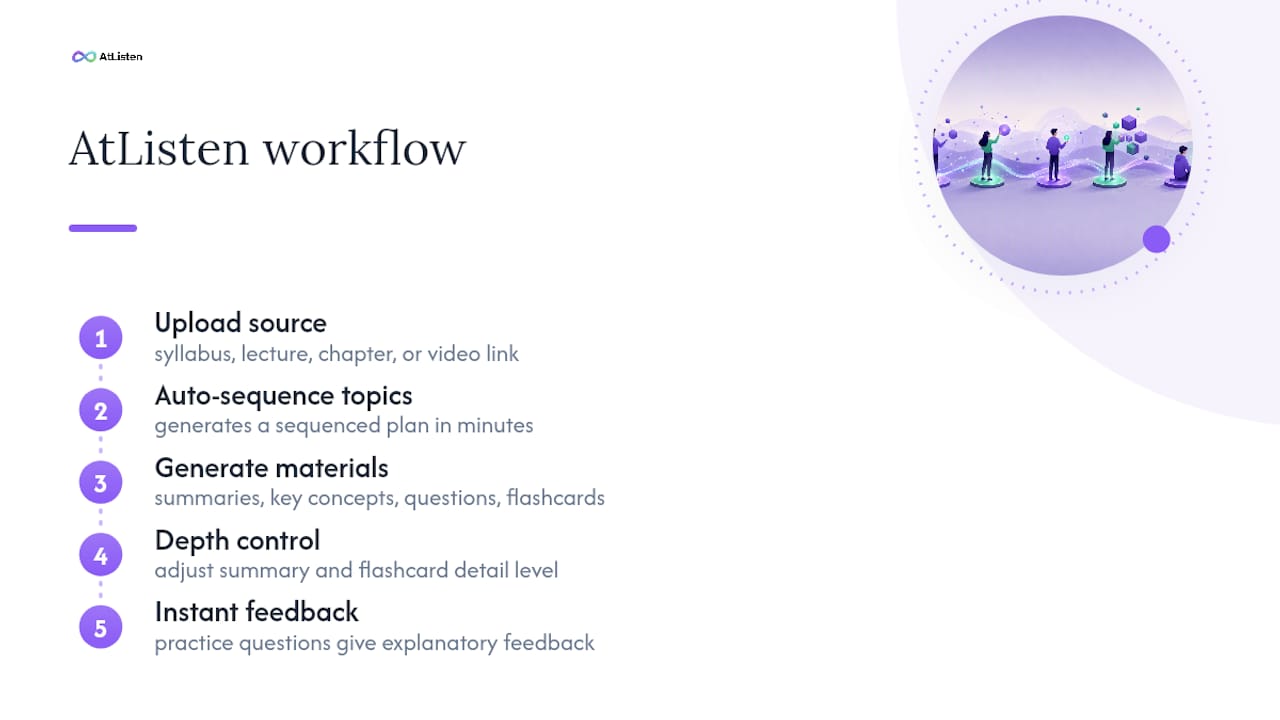
Some platforms offer depth control to adjust how detailed summaries and flashcards are, allowing use for both quick reviews and deeper study sessions. Instant feedback on practice questions helps learners understand what they actually know rather than just what they've covered.
Where to Find Reliable Templates and Guidance
For methods grounded in actual research rather than guesswork, a few sources are worth bookmarking directly:
- Cornell's Learning Strategies Center covers cumulative review, scheduled breaks, and the Pomodoro method in detail.
- The Waynesburg University study plan worksheet is a free, fillable template you can copy or print today.
- UNC's Learning Center guide to planners covers realistic time estimates and how to use small gaps in your day.
What Actually Matters When You Build a Study Plan
Most advice on this topic treats the schedule as the hard part. It isn't. The hard part is estimating time honestly and then protecting your review sessions when the week goes sideways, which it always does.
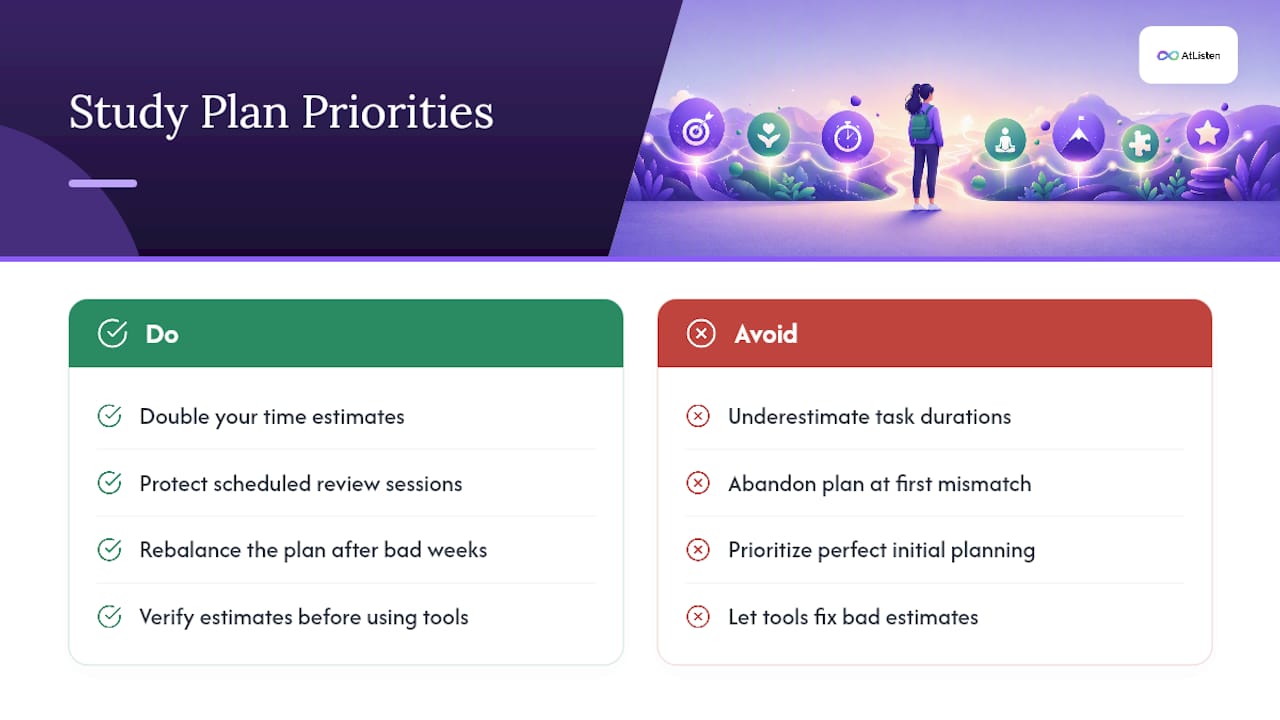
The conventional wisdom oversells the planning phase and undersells the adjustment phase. Students spend an hour building a beautiful color-coded schedule, then abandon it the first week it doesn't match reality, instead of just rebalancing. A plan that survives contact with a bad week is worth more than a perfect plan built once and never touched again.
If I had to prioritize one habit above all others, it's the doubled time estimate. Nearly every collapsed study plan I've seen traces back to underestimating how long a topic actually takes, then watching that error compound across every week that follows. Fix that one number, and the rest of the schedule tends to hold. Tools that automate sequencing, including AI-assisted generators, are genuinely useful, but they can't fix a plan built on unrealistic hours. Get the estimate right first, then let the tool handle the arrangement.
— William
Let AtListen Build Your Plan and Study Materials for You
If steps three through six of the workbook above sound like more manual work than you want to take on this week, some tools can generate the whole thing for you. Upload your syllabus, lecture recording, or textbook chapter, and you can get a sequenced study plan plus summaries, flashcards, and practice questions in minutes, not hours of manual topic breakdown.
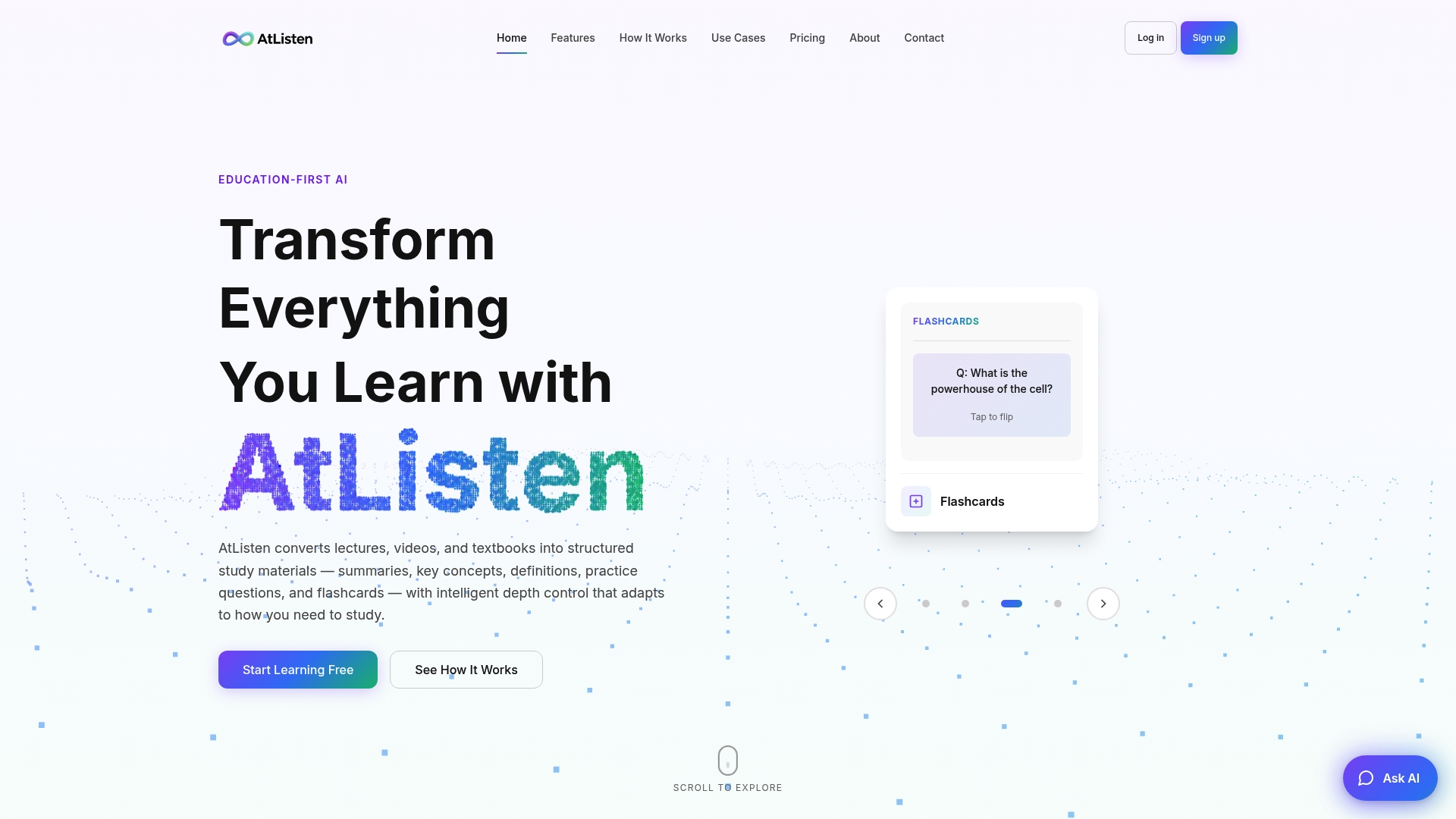
This works best for students juggling multiple courses at once or facing a tight exam timeline where hand-sequencing four subjects just isn't realistic. You still control the depth of each summary and flashcard set, so a quick refresher and a first deep study pass don't require switching tools. Try AtListen and turn your next lecture or chapter into a working study plan before your next study session starts.
Sources
- Guidelines for Creating a Study Schedule – Learning Strategies Center (Cornell University)
- Student Study Plan template (Waynesburg University)
- Study plan template (Craft)
- Using planners (UNC Learning Center)
FAQ
What Is a Personalized Study Plan?
A personalized study plan is a schedule built around your specific goal, deadline, and available time, combining topic sequencing, time-blocked sessions, and regular review checkpoints. It differs from a generic study schedule because the hours, pace, and topic order are set to match your own syllabus and calendar.
How Do I Create a Study Schedule for an Exam?
Start by writing down your target score and exam date, then break the material into topics and estimate hours for each, doubling your initial guess as Cornell's Learning Strategies Center recommends. Sequence topics from foundational to advanced, convert the hours into calendar blocks, and add a weekly cumulative review session.
Is a Printable Template or an AI Generator Better for Building a Plan?
A printable template works best if you want full manual control over layout and pacing, using fields like those in a study plan worksheet. An AI generator like AtListen works faster if you'd rather upload your materials and get a sequenced plan with flashcards and practice questions already built.
How Often Should I Review Material in My Study Plan?
Review should happen weekly and cumulatively, covering everything studied so far rather than only the most recent topic. This spaced approach is the core recommendation behind the study schedule guidance from Cornell's Learning Strategies Center.
What Should I Do if I Fall Behind on My Study Plan?
Rebalance which topics get compressed rather than skipping your review sessions. Cutting cumulative review to catch up on new material is one of the most common reasons study plans fail in the final stretch before an exam.